
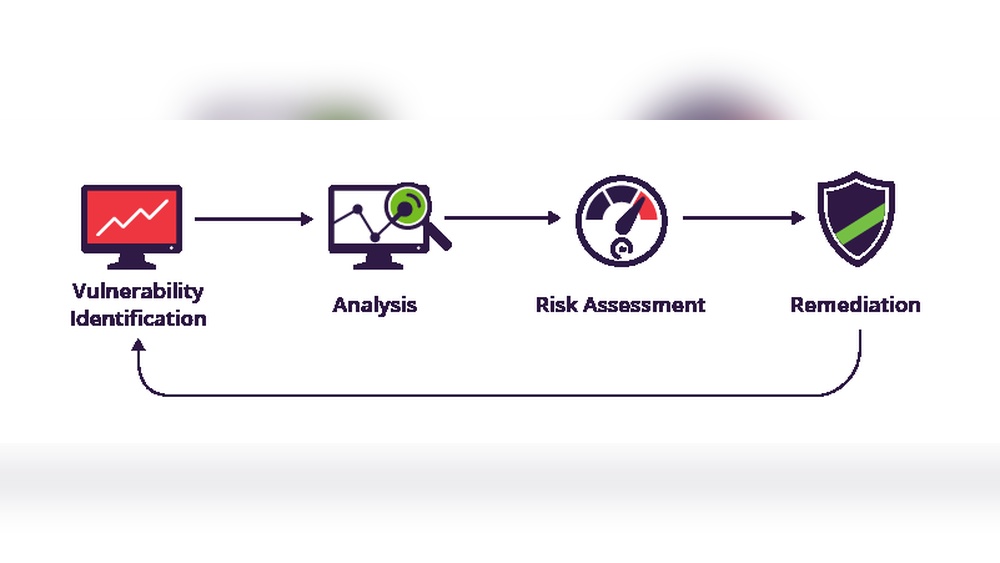
Are you confident that your software is truly secure? Every line of code could hide a weak spot that hackers might exploit.
That’s where a Software Vulnerability Audit steps in—it’s your essential shield against unseen threats. By carefully examining your software for hidden flaws, you protect your data, your users, and your reputation. You’ll discover how a thorough vulnerability audit works, why it’s crucial for your business, and the best steps to keep your software safe.
Don’t leave your software’s security to chance—read on to find out how you can stay one step ahead of cyber risks.

Planning Your Audit
Setting clear objectives helps focus the audit on key risks. Define what you want to find or protect. Objectives guide the whole process and improve results.
Identifying critical assets means listing software, data, and systems essential to your work. These assets need strong protection. Knowing them helps target the audit effectively.
Choosing the audit scope limits the areas checked during the audit. Decide which systems, applications, or networks will be reviewed. A clear scope keeps the audit manageable and thorough.
Common Vulnerabilities
Software flaws are common weaknesses in code that hackers can exploit. These flaws include buffer overflows, injection bugs, and logic errors. They often arise from poor coding or lack of testing.
Dependency risks happen when software uses third-party libraries or modules. These external parts may contain hidden vulnerabilities. Keeping dependencies up to date and checking their security is essential to reduce risks.
Configuration issues occur when software settings are incorrect or insecure. Examples include default passwords, open ports, or unnecessary services left running. Proper configuration helps prevent unauthorized access and attacks.
Audit Techniques
Manual code review means reading the source code line by line. Experts find security flaws that machines might miss. This method is slow but very thorough. It helps catch logic errors and hidden bugs.
Automated scanning tools quickly check large codebases. These tools find known vulnerabilities using databases. They save time and spot many common issues. But, they can give false positives or miss complex problems.
Penetration testing simulates real hacker attacks. Testers try to break the system using security gaps. This shows how strong the software is in practice. It reveals weaknesses that code reviews and scanners might not detect.
Using Vulnerability Scanners
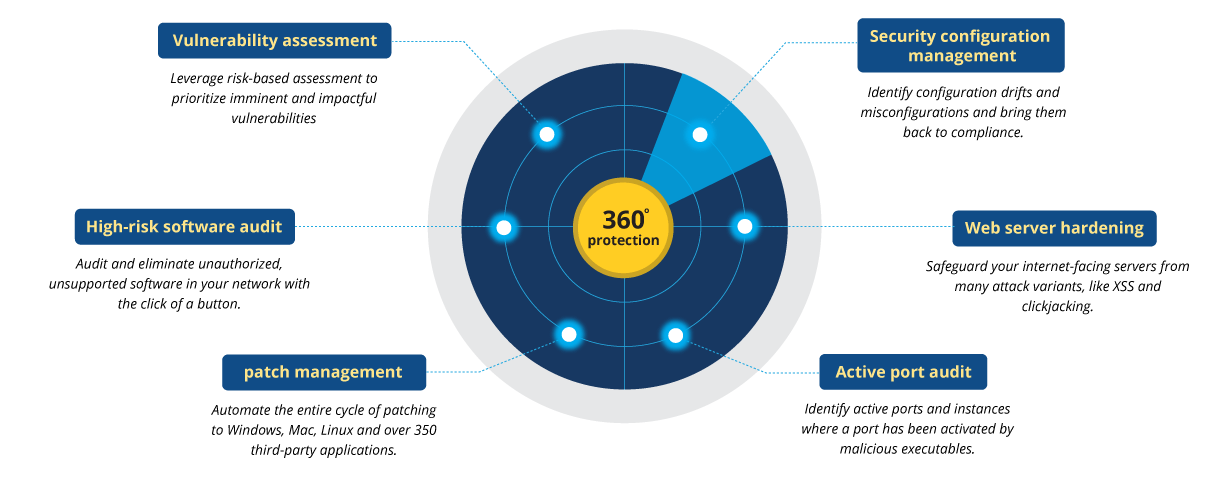
Selecting the right vulnerability scanner is key for effective audits. Different tools work best for certain systems and environments. Consider compatibility, ease of use, and update frequency. Some tools scan web apps, others focus on networks or software code. Choose based on your specific needs.
Interpreting scan results can be tricky. Scanners often list many findings. Focus on those with the highest risk scores. Understand the context of each vulnerability. Some issues might not apply to your setup. Prioritize fixes to reduce real threats quickly.
False positives are common in vulnerability scans. These are reported problems that do not really exist. Confirm suspicious findings by manual checks or using other tools. Ignoring false positives helps save time and effort. Always verify before making changes.
Prioritizing Risks
Risk assessment helps identify which software vulnerabilities need urgent attention. It weighs two main factors: impact and likelihood. Impact measures the damage a vulnerability could cause. Likelihood estimates how probable it is to happen. Combining these gives a clear risk score.
Using prioritization frameworks makes handling risks easier. These frameworks sort risks from high to low. This guides teams on where to focus first. Common frameworks include CVSS and OWASP Risk Rating. They provide simple steps to rank risks based on set criteria.
| Factor | Description |
|---|---|
| Impact | Potential damage caused by a vulnerability |
| Likelihood | Chance of the vulnerability being exploited |
| Prioritization Frameworks | Methods to rank risks for effective response |
Integrating Patch Management
Coordinating audits with patching ensures that every vulnerability found is addressed quickly. Audits reveal weak spots, and patches fix them. Teams should work closely to align these tasks. This prevents delays and reduces risks. Clear schedules and communication are key to success.
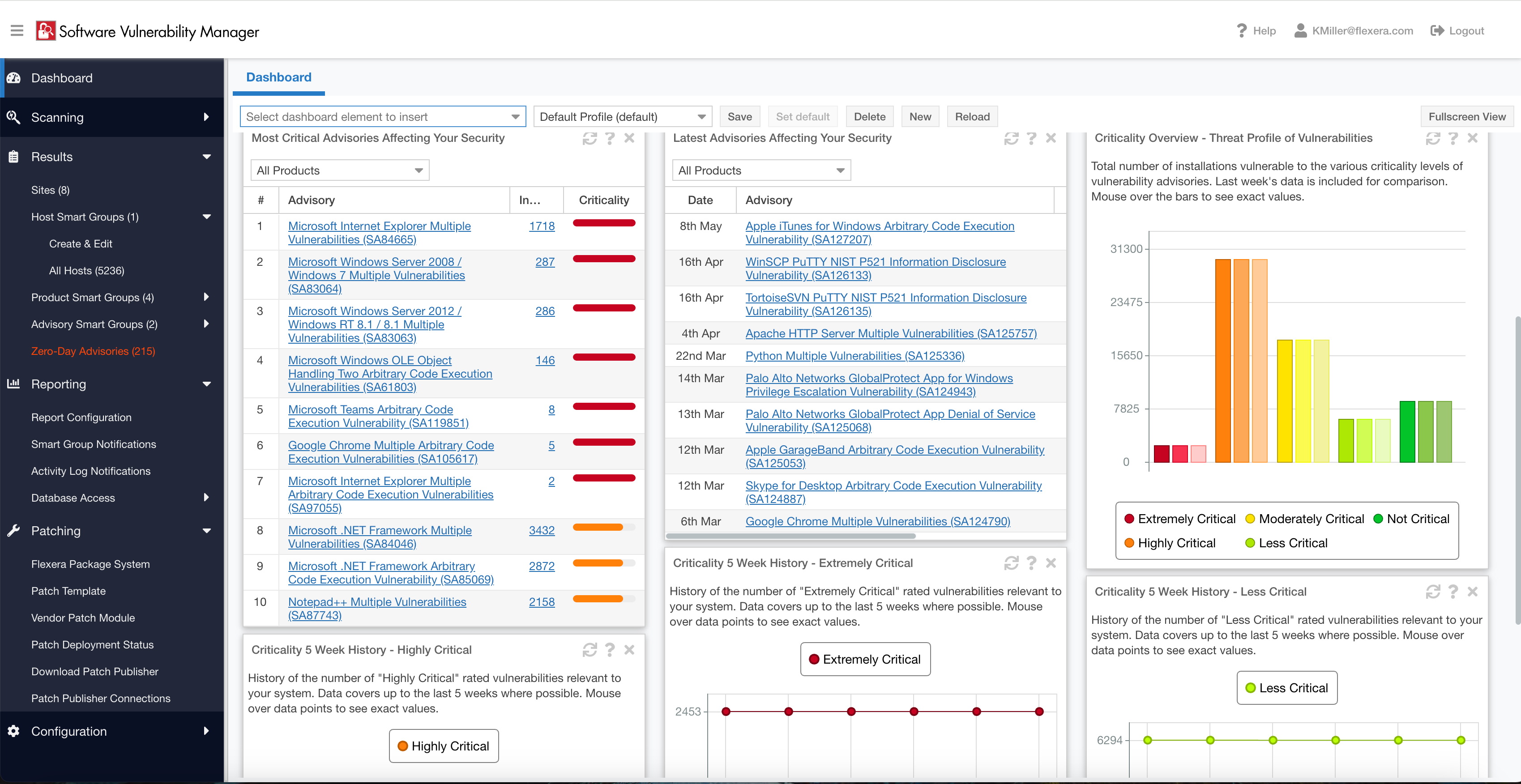
Tracking patch deployment helps confirm that all systems get updates on time. Use tools to monitor which patches are installed and where. This avoids missing critical updates. Regular reports give a clear picture of the patch status across the network.
Verifying patch effectiveness means checking if patches actually fix the problems. Run tests or scans after patch installation. Look for any new issues or failures. This step keeps software secure and stable.
Monitoring And Reporting
Continuous vulnerability monitoring helps detect new risks fast. It uses tools that scan software often. These tools find weak spots before attackers do. The monitoring should cover all parts of the system to be effective. Alerts must be set up to notify teams immediately.
Clear audit documentation records every test and finding. This keeps track of what was checked and when. It helps teams understand past issues and fixes. Proper notes make future audits easier and faster.
Communicating findings clearly is very important. Reports should be simple and direct. Use bullet points or tables for easy reading. Share key risks and steps to fix them with all team members. This ensures everyone knows what to do next.
Improving Security Posture
Addressing root causes helps reduce software vulnerabilities. Developers must understand common security flaws. Training sessions boost their skills and awareness. This lowers the chance of coding errors that lead to risks.
Implementing secure coding practices is essential. Using standards like input validation and output encoding stops many attacks. Writing clean, tested code makes software safer. Regular code reviews catch issues early.
Both steps build a stronger defense. Teams become better at spotting and fixing weaknesses. This improves the overall security posture of the software.
Frequently Asked Questions
What Is A Software Vulnerability Audit?
A software vulnerability audit systematically examines software to identify security weaknesses. It helps prevent breaches by detecting flaws before attackers exploit them. Audits improve software security, compliance, and risk management.
How Often Should Vulnerability Audits Be Conducted?
Vulnerability audits should be done regularly, ideally quarterly or after major updates. Frequent audits ensure timely detection of new vulnerabilities and maintain robust security.
What Tools Are Used In Vulnerability Audits?
Common tools include automated vulnerability scanners, static code analyzers, and penetration testing software. These tools help identify security gaps efficiently and accurately.
How Do Vulnerability Audits Improve Cybersecurity?
Audits reveal hidden security flaws and prioritize risks. They guide patching efforts, reduce attack surfaces, and strengthen overall software defenses.
Conclusion
A software vulnerability audit helps find weak spots in your system. It guides you to fix issues before attackers exploit them. Regular audits keep your software safe and reliable. They improve your security and protect your data. Start audits early and repeat them often.
This simple step can save you from costly breaches. Stay proactive and secure your software today.
Read More
- Vendor Software Contract Review: Essential Tips for Risk-Free Deals
- It Procurement Audit Guide: Ultimate Tips for Success
- Software Asset Management Consulting: Maximize Efficiency & Savings
- Application Security Audit Checklist: Essential Steps for Success
- Devsecops Audit Assessment: Boost Security with Expert Insights
- Open Source License Compliance: Essential Tips for Risk-Free Use
- Microsoft License Compliance Audit: Essential Tips to Stay Compliant
- Adobe License Compliance Review: Essential Tips for Risk-Free Use
- Enterprise Software Compliance Review: Essential Tips for Success
- Application Portfolio Audit Cost: Uncover Hidden Savings Today